


Ultra Detailed Models
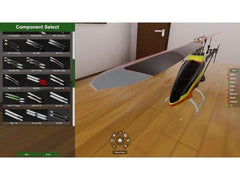
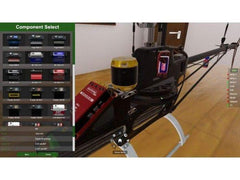
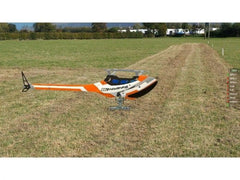
AccuRC represents a big advancement in simulator design due to the way it reproduces aircraft down to every tiny linkage and bellcrank.
Couldn't load pickup availability
Once you purchased this digital download version of AccuRC Simulator, you will automatically get an email with your license key.
To download AccuRC software, please follow the below instruction to download from Steam website.
HOW TO INSTALL:
Click here for more detail instruction on how to install AccuRC 2 on Steam
HOW TO INSTALL ACCURC 2 ON STEAM:
Once order is placed we will send you the license code via email to use with Steam. Please also check your spam folder if you don’t receive an email from us shortly after completing your purchase.
If you aren’t using Steam already, in order to install AccuRC 2 on your computer, you will need to create a Steam account.
Click here to create a Steam account online
Then download the Steam client from Steam’s website:
- For Windows: Click here to download Steam software on PC
- For Macs: Click here to download Steam software on Macs
Once done install the Steam client on your computer, open it and log in with the account credentials you previously generated on Steam’s website.
From within the Steam client you’ll need to click “Games” menu, then “Activate a Product on Steam…”, then simply follow the instructions and copy/paste the code issued to you via your order confirmation e-mail. Codes are formatted like the following: AAAAA-BBBBB-CCCCC.
For more information on compatible dongles and transmitters, click here.
AccuRC offers RC fliers unique benefits unavailable with any other RC simulator
AccuRC represents a big advancement in simulator design due to the way it reproduces aircraft down to every tiny linkage and bellcrank.
Fly or race your friends online. Enhanced further with Steam’s friend list, you can find a friend online and invite them to your session.
You can equip and tune the virtual model just as you would in real life. Choose from a video variety of servos, motors, propellers, rotor blades, batteries and much more.

3D rendered super-scape sceneries which include stadiums, cities and remote islands.
We utilize our very own physics engine to ensure the most realistic and rewarding flight experience possible, used and loved by many of the world’s leading RC pilots.
AccuRC is the only simulator to allow you to explore a wide variety of real model aircraft and properly understand how they operate.
AccuRC Software Download, useable with AccuRC dongle (sold as combo or available separetly) or devices seen by Windows as a USB Game Controller. This includes many transmitters, such as Jeti, Mikado VControl, RF Interlink Controller, FrSky Taranis and many 3rd party dongles. Please make sure your PC meets at least the minimum requirements!
CPU: Intel/AMD Dual Core 3GHz; Quad Core 2GHz
GPU: Nvidia GeForce GT 610, Mobility Radeon X1800 or Radeon HD 4250, Intel HD 4000 Graphics (Mobile), Intel HD630 Graphics (Kaby Lake).
Other: 4GB RAM, 5GB hard drive space, Windows Vista/7/8/8.1/10
Note: These minimum specs are based on our testing to reach 60FPS on low-medium settings with Anti Aliasing switched off. While we do not recommend using the sim with less than 60FPS, we found it to be flyable down to 30FPS so you may get away with lower spec hardware.
CPU: Intel Core i5 Quad Core 2.5GHz or AMD equivalents, eg. i5-4430, AMD FX8350
GPU: Nvidia GTX 650 or Radeon R9 270, Nvidia GTX680M or Radeon HD7970M
Other: 8GB RAM, 5GB hard drive space, Windows Vista/7/8/8.1/10
Note: These recommended specs are based on our testing to achieve at least 60FPS on Ultra High settings.
| Vendor: | AccuRC |
| SKU: | AccuRC2 |
| Barcode: | AccuRC2 |
| Availability: | In Stock |
| Product Type: | Parts - Helicopter |
| Weight: | 0.2 oz |
Is as advertised, good simulator. It is not a direct download as you have to jump through a couple hoops from a 3rd party, but the directions are clear and work. I'd give it five stars if it was a direct download link.
The Frsky XSR-SIM adapter cant bind with my Taranis plus.
Set up a super easy can be played off-line and is unlike any of the simulator where you can do more in-depth tuneups for your helicopters, which is vital for flying in the field. Highly recommended.
First time pilot and this sim helped me learn fast.
Ótimo produto
i love accurc 2.o,it is worth the money,brian b.
Very smooth purchase and install. Works as advertised, easy to use and realistic.
Purchased and downloaded easily with no problems. I tried the Demo version on Steam before I purchased to make sure it worked on my HP laptop and my RadioMaster TX16S MKII. I am very happy with the full version.
I haven’t flown helicopters in 20+ years and getting back on the sim I’m building confidence quickly.
All good. Fast purchase and excellent graffic. The simulator very really,all types of helicopters in the menu.
Subcribe to get information about products and coupons.
Thanks for subscribing!
This email has been registered!


