


Join Our newsletter
Subcribe to get information about products and coupons.


Couldn't load pickup availability
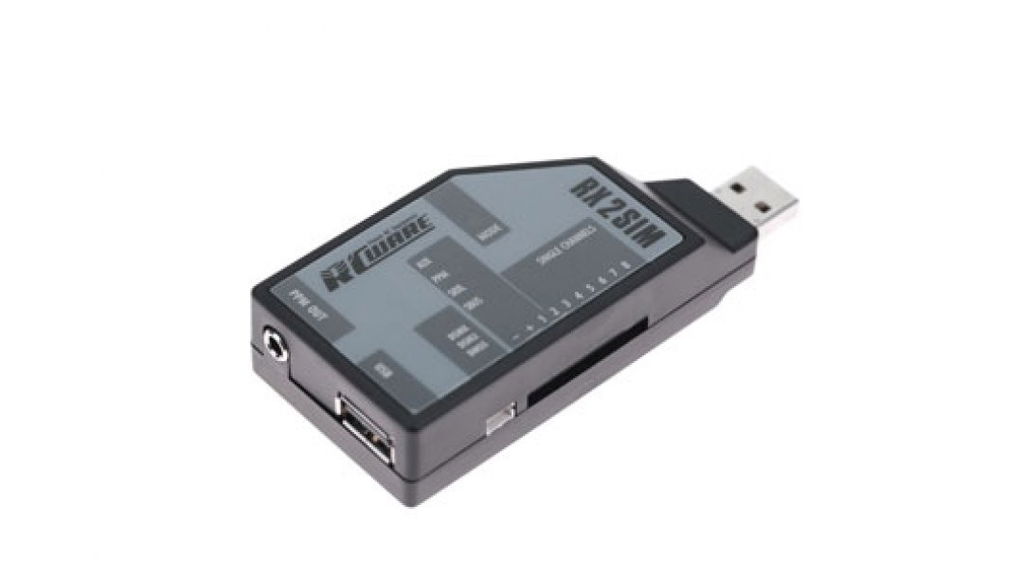
RX2SIM - Simulator goes wireless
No more short and annoying cables between your computer and RC transmitter.
RX2SIM allows to convert nearly any RC simulator on the marked to work wireless.
It can be used in combination with most radio control systems.
All you need is a transmitter and receiver that has sufficient number of channels for your application.
There is no need for a trainer port on the radio anymore.
RX2SIM connects your RC receiver with the simulator dongle.
The control signals are transmitted from the receiver to RX2SIM via the supplied patch cable (included in box).
You can use a conventional receiver with standard servo output ports as well as common serial signal/singleline receivers (supported protocols are PPM, Futaba S.Bus, SRXL, Spektrum DSM2/DSMX, JR DMSS).
RX2SIM converts the incoming control signals into a trainer signal that can be used by the simulator interface dongle.
Also you can use RX2SIM as wireless joystick (gaming device) to control any computer program that uses a joystick interface.
Especially this allows to control RC Simulators that do not supply any special usb interface dongle like "neXt - CGM RC Flight Simulator" or most shareware simulators.
The RX2SIM firmware is user upgradeable with the BEASTX StudioX application.
So the device is future-proof in respect to additions like emerging serial signal receiver protocols.
Supported receiver systems
• Single servo channels
• PPM-Seriell
• Spektrum Satellit (DSM2 / DSMX)
• JR DMSS Satellit
• Futaba S.Bus/S.Bus2
• SRXL
Trainer signal output
• Compatible with most RC flight simulators (i.e. Phoenix R/C Pro Simulator, Real Flight R/C Flight Simulator, REFLEX XTR)
Additional operation modes
• Idle mode (USB loop through)
• Joystick emulation (i.e. for neXt - CGM rc Flight Simulator, Heli-X, FMS, aerofly and others
• USB2SYS interface emulation (to connect BEASTX flybarless devices)
Operating Voltage: 3.8.V - 6.0V (typical 5.0V)
Operating Systems: Windows, LINUX and MAC
Dimensions (LxBxH): 92 x 42 x 20mm
Weight: 32g
• RX2SIM USB interface
• USB extension wire
• Patch cable
• User manual DE/ENG
| Vendor: | Freakware |
| SKU: | RCWT300195 |
| Barcode: | 4260211766935 |
| Availability: | Out Of Stock |
| Product Type: | Parts - Helicopter |
| Weight: | 0.07 lb |
With this I can use with my current simulators' realflight evolution, next, accurc 2, and real flight trainer.
Works ad advertised and I could not be happier. I would purchase this item again in a heartbeat.
I am pleased with how the Rx2Sim adapter worked with my 72Mhz and 2.4Ghz Futaba receivers. Love how I can connect by multiple ways. Two methods I have used are:
1) Single cable via the S-Bus option
2) individual cable per channel max 8
I have tried with success with 3 separate Simulator programs including RealFlight v8, X-Plane 11, and finally the newest MS Flight Simulator.
Only Con with the system is that the adapter only supports 8 channels. Hopefully a newer version will be developed soon for more channel availability.
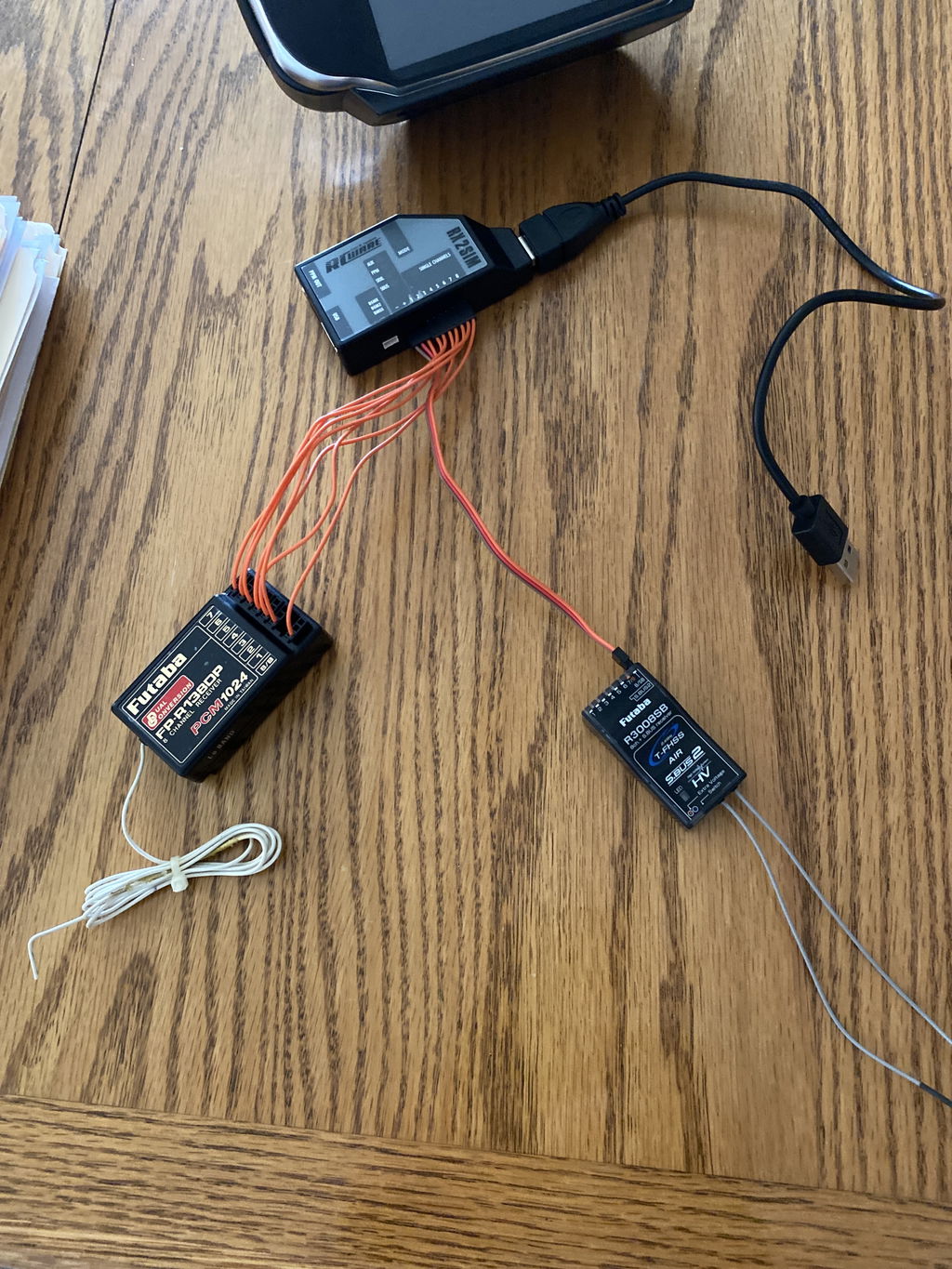
*note in photo I have 2 Rx’s connected, only 1 Rx can be operational at anytime. The first cable is currently connected and supplies the power to the Rx. In this case the Rx that supports S-Bus. The other seven cables are only unpowered signal only cables.
Excellent adaptor
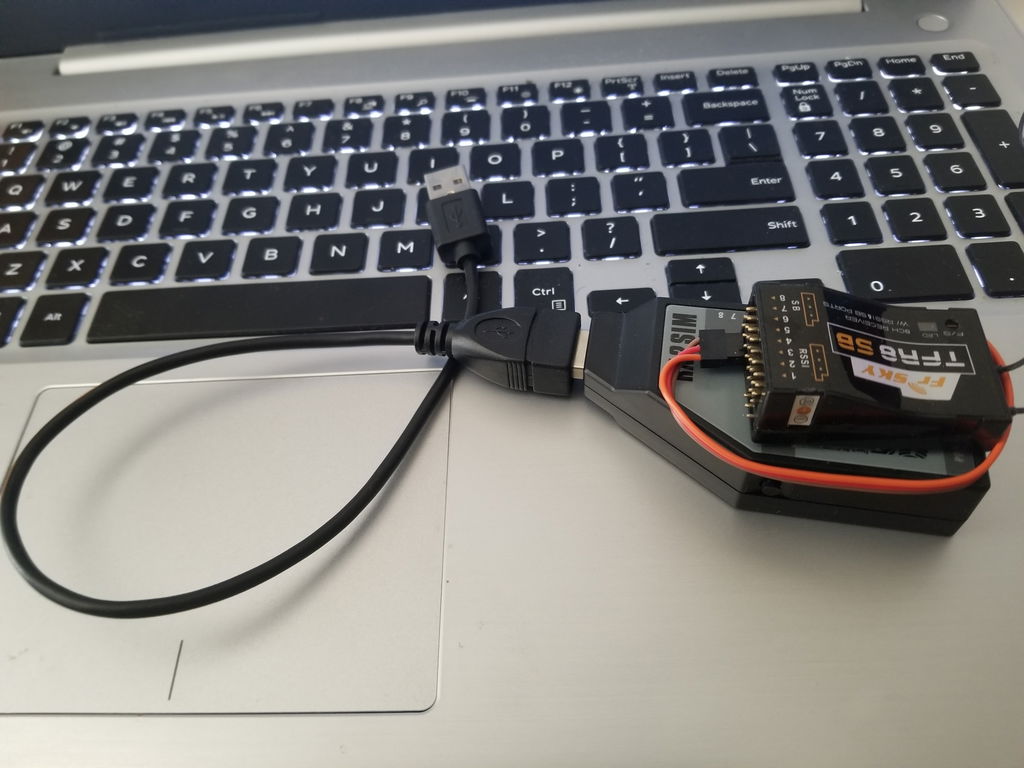
You can see from the photo one wire ,and I did not have to update the any drivers/firmware.
I purchased the RX2Sim to use with a Spektrum satellite receiver. I never tried it with a standard Spektrum receiver using the included patch cables. I have no reason to believe it would not work with a standard receiver of any brand; that just was not a use case I was interested in.
For modern Spektrum satellite receivers, this device does not appear to work. Right out of the gate there is a significant problem: the RX2Sim supports a 3 pin SRLX2 connector and Spektrum currently uses a 4 pin. I found a 4 to 3 pin adapter cable made just for this purpose by another manufacturer for their products. The cable ended up costing about half the price of the satellite after shipping. Once I could plug the Spektrum satellite in it did power up and I was able to successfully bind to my transmitter. However, the RX2Sim never recognized the receiver. The blue DSMX light just kept flashing. The RX2Sim manual's method of binding for Spektrum is no longer the supported method of binding since the satellite's have a bind button now. I tried updating the firmware of the RX2Sim to see if modern Spektrum satellites are now supported. I am unsure if I could not update the firmware or if I was already at the latest version; the process is virtually undocumented. I did not find and kind of support available from the manufacturer. Given the apparent unsuitability for the advertised purpose, I would give this product a 1 star for Spektrum owners.
Currently, the RX2Sim is packed up and sitting in my spare parts box. I went back to using my wired FSOne USB adapter that plugs into the trainer port. That connection works well and wireless was not worth the headaches and additional expense. The RX2Sim could be a five star product for some people. It apparently has been.
Great product. HeliDirect is an excellent company to do business with. FAST shipping and friendly staff.
I use this with neXt and it’s fantastic using with a newer Mac mini.
I can not write a review since I did not receive the RX2SIM
Great aid for learning realistic flight control on both my simulators with my NX8+ only wish I would have purchased it before wasting my money on other products that don't compare.
Easy to setup up. I used this with my Helix flight simulator. I added a Spektrum receiver and bind it to my Spektrum NX10 radio.
RX2SIM Wireless Multi-Sim Adaptor
Product was delivered on time and I’m happy with my purchase.
fonctionne très bien avec Real flight 9.5 et un receveur Rg831b et ma manette XG8
I originally purchased this to talk to my BeastX from a PC. This worked perfectly with StudioX. I have a Spektrum WS2000 interface for my simulators but I was curious to see if attaching a DSMX satellite to this interface would work and it did! I even plugged it into my MacBook and it worked. I don't have a need to use a discrete receiver so I can't speak to that setup/results. Hope this helps.
Purchased along with Next simulator. Easy to set up and use. Very happy with the purchase.
Excellent service and products.
If your looking for a wireless sim adapter that works on either Mac or Windows, your search is over. Very easy to setup and this adapter works great
Love this as I can attach any radio to it I want and it works very well. The signal is very stable in the computer too, no jumpiness. You can use a small dead zone without issue.
One weird part is the instructions tell you to download studio x software and do a firmware update before using rx2sim. But studio x doesn't connect to the rx2sim at all (it has a com port but studio x doesn't see the device) and after searching I am unable to find firmware files for the rx2sim anywhere. So I am thinking that this is a generic statement that the manufacturer uses for other products (beastx) they make, and they accidentally included it in the rx2sim instructions. So my advice is to ignore that and don't waste your time.
One of the best investments I have purchased, plugged it in with a Futaba receiver and it works, Using an old T6k for the sim now works great, Use a 8FG when flying so it feels the same.....
For a number of years, I've been looking for an interface that I could use with my transmitters and receivers.
The mickey mouse $12 20-in-1 usb adapters wired to the transmitter are a joke, I don't need pirated software. I had tech support at one dedicated hard wire USB transmitter supplier tell me I should not expect their hard wire USB transmitter to work with any 3rd party flight simulator. I can understand that, their hard wire USB transmitter has problems working with their own software.
I have two goals with my RC flight Sims. First, is to improve my flight skills w/o expensive crash landing rebuilds. Second, is to test my transmitter & receiver configured as I intend to fly my real aircraft.
With the RX2SIM, I had no problem connecting with any transmitter/receiver combination I have. The included patch cable worked with all my SBUS and PPN receivers although some receivers may require custom cable. The multi-channel cable included with the RX2SIM worked with receivers having individual channel outputs.
I did read the directions so setting up the various transmitter/receiver/flight simulator variations I tested was easy.
I now fly in four different flight simulators with the feel and touch of my gimbals using the transmitter/receiver tuning settings I use on the the airplanes in my hanger.
Success at Last
I purchased the disc alone of RealFlight RF9 simulation program. At that time I understood that all that was required to connect to the RF software package was a cable that connected to my computer's USB port and the trainer port on the transmitter. I could not locate this cable. I called RCMotion and they suggested that the recommend hardware was the RX2SIM. I purchased this because it allowed wireless communication to the software via the 8J. I chose the single channel option, channels 1-8 from RX2SIM to the receiver. Not a workable set of hardware. Back to RCMotion and I was sent a cable that connected to the PPM port on the RX2SIM to the trainer port on the transmitter. No change in outcome and definitely not wireless. The instructions for the interface show another interface from the USB port on the RX2 to the PPM port. I have yet to locate this hardware. I have discussed this with knowledgeable folks in the flying club and apparently none of this is required. The cable I need is USB to trainer port then set up the trainer accordingly. I have the trainer port connector however the other end of that cable is a 3mm audio looking male fitting. This is where I sit currently, I cannot use the $99.00 + tax software package. I could purchase another transmitter of another brand and be set to enjoy this very attractive software package. Not happy. I will edit this comment later if need be.
will the rx2sim work with a vbar neo with vlink?
Yes, it does. But, i believed there are things that have to be done with an app on the radio and setting in the sim.
Subcribe to get information about products and coupons.
Thanks for subscribing!
This email has been registered!


